
It is good to know that you can always view your received invoices, future invoices and invoice places in the Admin portal. Simply go to the tab Invoices and there you have the following options:

Invoices sent
Under Invoices sent you can see all the invoices you have already received, and also download them and their specifications. Please note that you can always search all the invoices e.g. by a specific invoice number or invoice date.
DeleteFuture invoices
Under Future invoices, you can see all the upcoming invoices. Once you download a file of your preferred invoice place, you get the current invoice draft from that moment. If more costs are generated after the previous file generation, you will need to re-download the file to see an updated invoice draft.
DeleteInvoice places
Under Invoice places you can see all invoice places in your Telavox environment, edit existing ones and create new ones. If you want to edit an invoice place, simply click on the pen icon next to the name of the invoice place and edit it to your liking. If you want to create a new invoice place, click on the button + Add invoice place.
DeleteWhat is included in an invoice from Telavox?
This guide goes through the contents of our invoices.
The first page of the invoice shows an overview of the invoice, where you can find the most important information, such as the sum to be paid and the due date.
Here is an example of what an invoice from Telavox can look like:
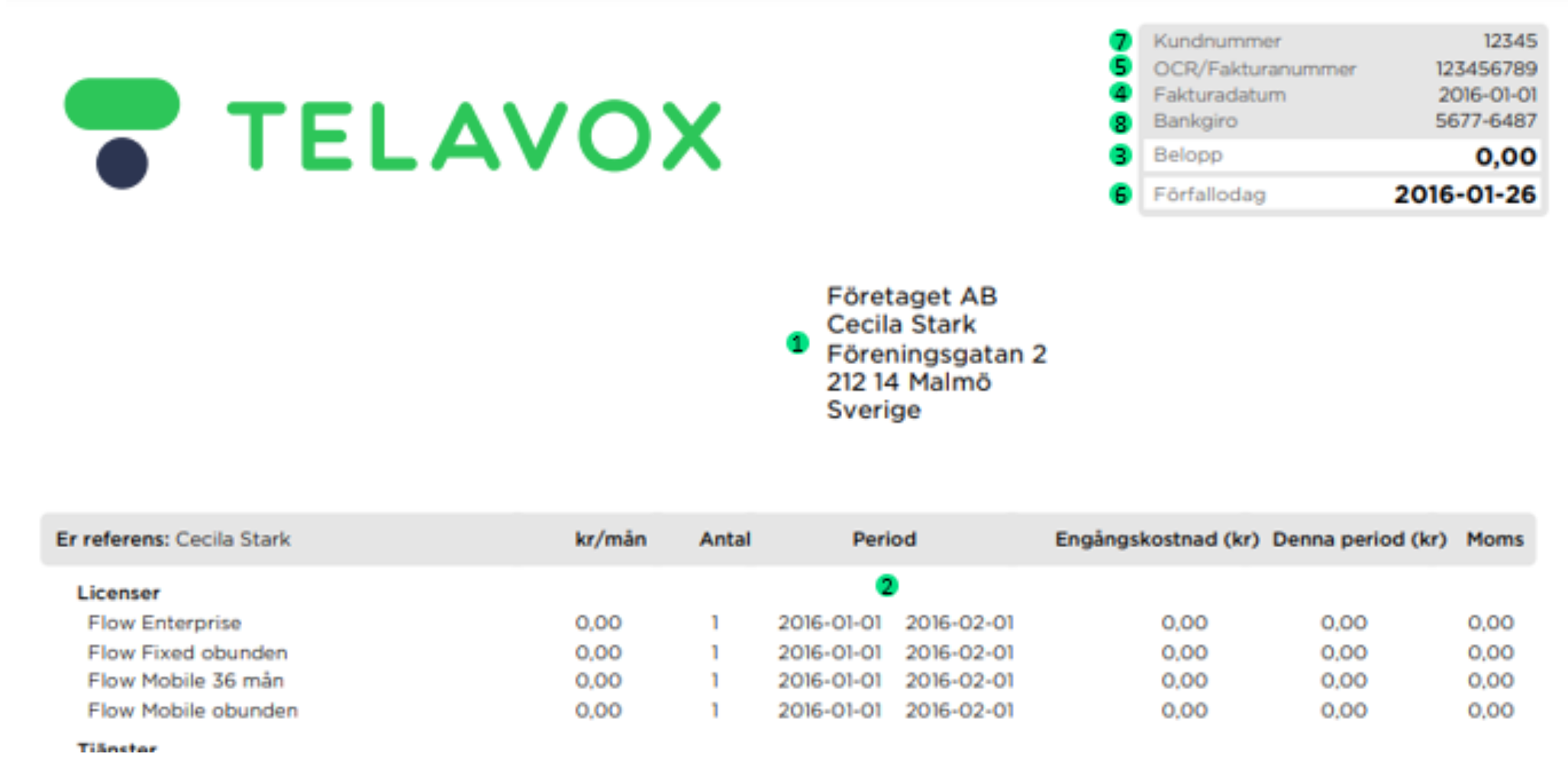
2. Period
The period of the invoice. Please note that it can be longer or shorter than a month – depending on if you started using Telavox in the middle of the month.
Delete7. Customer number
Have this number at your disposal when contacting Telavox. This makes it easier to find the correct invoice.
Delete8. Bank identifier number
This should be used if you pay through a web-based bank account, for example.
Delete